Install from your browser
Two ways — pick the one that works for you
⚡ Easiest
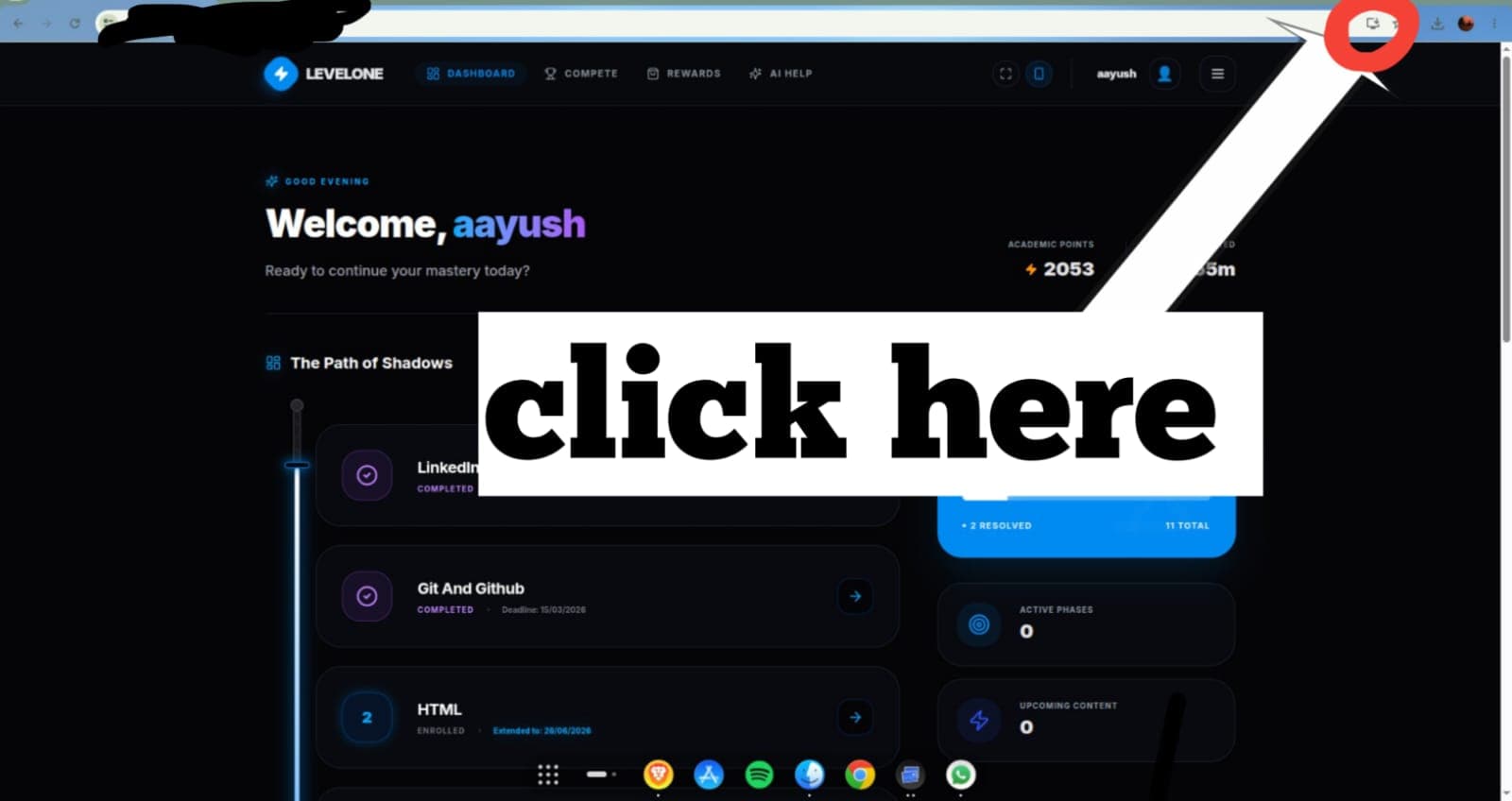
Chrome, Edge and Brave show a small install icon inside the address bar when a PWA is ready to install.
1
Look at the address bar at the top of your browser
2
On the right side of the URL, find the install icon — it looks like a monitor with a down arrow (⬇)
3
Click it — an install dialog will appear
4
Click "Install" to confirm
💡
If you don't see the icon, your browser may need to be on Chrome, Edge, or Brave. Firefox does not support this.
⚠️
Skip — continue in browserFirefox not supported
Firefox does not support PWA installation. Please use Chrome, Edge, or Brave.